

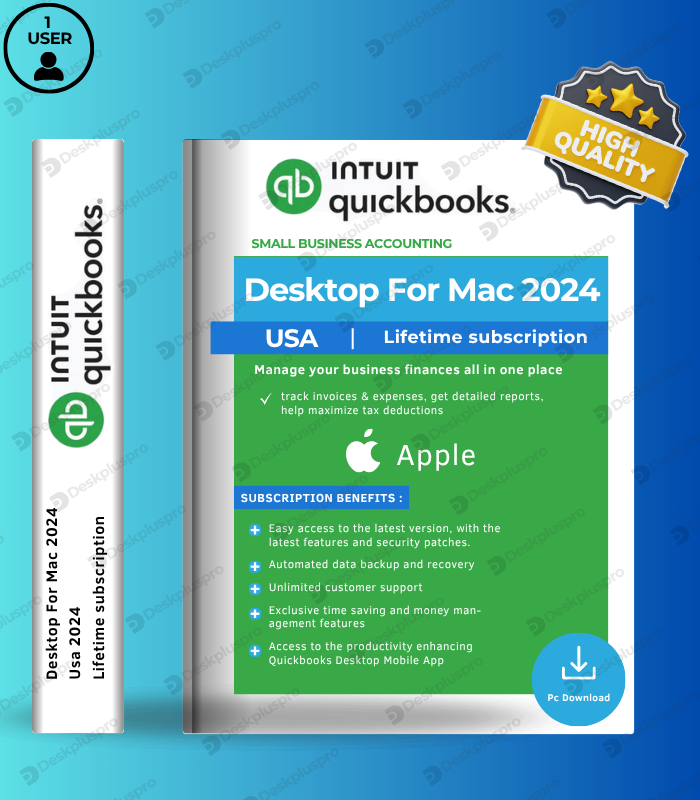
QuickBooks Desktop For Mac 2024 1 User – Lifetime License Key (macOS) is Intuit’s premier desktop accounting solution built exclusively for Mac users, available as a single-user permanent license with no subscription and no recurring fees. Designed natively for macOS with full support for both Intel and Apple Silicon (M1/M2/M3) processors, QuickBooks Desktop For Mac 2024 gives solo business owners, freelancers, independent accountants, and self-employed professionals everything they need to manage their finances in one place — smart invoicing, automated bank feeds, real-time inventory tracking, enhanced location-based reporting with 12 new address columns, AES 256-bit data encryption, iCloud backup, and seamless two-way data exchange with QuickBooks Desktop for Windows 2024. The most affordable entry point into the QuickBooks Mac ecosystem — pay once, own it forever, and run your finances entirely on your Mac without ever paying a subscription again.
📄 Key Features – QuickBooks Desktop For Mac 2024
| Feature | What It Does | Perfect For |
|---|---|---|
| Mac-Native Interface Mac Exclusive | A redesigned macOS interface with Apple-optimized workflows, native navigation, tabbed windows, and full support for both Intel and Apple Silicon (M1/M2/M3) processors via Rosetta 2 | Solo Mac users who want a true native accounting experience |
| AES 256-Bit Data Encryption NEW 2024 | All company data is now protected with industry-leading AES 256-bit encryption — the same standard used by banks — keeping your financial records fully secure on your local Mac | Solo business owners handling sensitive client and financial data |
| Enhanced Report Customization NEW 2024 | 12 new Ship To and Name address columns added across multiple reports. Filter and run reports by location with the new Sales by Ship To Address report — giving deeper insights into regional sales performance | Freelancers and solo operators shipping to or serving multiple locations |
| Smart Invoicing & Payment Reminders | Create professional, fully customizable invoices with your logo, color schemes, and personalized fields. Set automated payment reminders for outstanding invoices and accept online payments via QuickBooks Payments integration | Freelancers, consultants, and solo service providers billing clients |
| Automated Bank Feeds | Connect directly to your bank and credit card accounts for automatic transaction imports. Transactions are intelligently categorized to minimize manual data entry and keep your books reconciled and up to date | Solo business owners wanting to eliminate manual bank reconciliation |
| Inventory Tracking & Alerts | Monitor real-time inventory levels, set low-stock alerts, and update quantities directly from sales or purchase orders. Maintain accurate cost of goods and inventory valuation with built-in tracking reports | Solo retailers, product-based businesses, and e-commerce sellers on Mac |
| iCloud Backup & iPhone Receipt Scanning | Automatically back up your company file to iCloud for peace of mind. Use your iPhone camera to scan and upload text-searchable receipts, bills, invoices, and tax forms directly into QuickBooks — no manual entry needed | Solo Mac users wanting seamless Apple ecosystem integration |
| Windows Data File Exchange | Full two-way data file conversion with QuickBooks Desktop for Windows 2024 — share your company file with your accountant or bookkeeper on Windows seamlessly during tax season or audits | Solo Mac users whose accountants work on Windows QuickBooks |
🎯 Why Solo Mac Users Choose QuickBooks Desktop For Mac 2024
💡 Key Benefits
- Lifetime license key – one-time purchase, zero recurring subscription fees
- Built exclusively for Mac – native macOS interface, not a Windows port
- Apple Silicon compatible – runs on Intel and M1/M2/M3 Macs
- AES 256-bit encryption – bank-grade security for your financial data
- Most affordable QB Mac entry point – full features, single user
- Instant digital delivery – license key sent by email immediately
🏢 Best Use Cases
- Freelancers and self-employed professionals managing finances on Mac
- Solo business owners running product or service-based businesses
- Independent accountants and bookkeepers managing client files
- Solo Mac users whose accountants use QuickBooks for Windows
- Apple-first businesses wanting iCloud backup and iPhone integration
📊 QuickBooks Desktop For Mac 2024 vs. QuickBooks Online — Which Is Right for You?
| Capability | QuickBooks Online | QB Desktop For Mac 2024 |
|---|---|---|
| License Type | Monthly / Annual subscription | Lifetime — one-time purchase |
| Works Offline | ✗ Requires internet | ✓ Full offline access |
| Data Stored Locally | ✗ Cloud only | ✓ On your Mac |
| AES 256-bit Encryption | ✓ | ✓ NEW 2024 |
| Mac-Native Interface | Browser-based | ✓ Native macOS app |
| iCloud Backup | ✗ | ✓ |
| iPhone Receipt Scanning | ✓ | ✓ |
| Windows Data File Exchange | Limited | ✓ Full 2024 compatibility |
📋 Technical Specifications
| 🍎 Operating System | macOS Monterey (v12.0) or later — including Ventura and Sonoma |
| ⚡ Processor | Intel or Apple Silicon (M1/M2/M3) via Rosetta 2 |
| 💾 RAM | 2 GB minimum (4 GB recommended for optimal performance) |
| 📀 Storage | 250 MB available disk space minimum |
| 👤 Users | 1 user — upgradeable to 2 or 3 users with additional licenses |
| 📤 Report Export | Apple Numbers v12.0 or later, Microsoft Excel 2016 or later, Microsoft 365 |
| 📧 Email Integration | Apple Mail, Microsoft Outlook 2016 or later, Microsoft 365 |
| 🔄 File Conversion | Two-way conversion with QuickBooks Desktop for Windows 2024 | One-way conversion to QuickBooks Online | One-way import from QuickBooks Desktop Windows 2021 and 2023 |
| 📱 Mobile | iPhone receipt scanning requires iOS 12.0 or later |
| 🖨️ Printing | Macintosh-compatible printer for invoices, checks, purchase orders, reports, and mailing labels |
| 🌐 Internet | Required for activation and bank feeds — full offline functionality for all core features after activation |
| 🔧 Activation | Digital license key + product number via Intuit account |
| 📅 License Type | Perpetual lifetime license key – no expiration, no subscription, no renewal fees |
❓ Frequently Asked Questions
Is this a one-time purchase or a subscription?
This is a perpetual lifetime license key — pay once and own QuickBooks Desktop For Mac 2024 forever. No annual renewals, no subscription fees, no expiration dates. You have permanent access from day one with no ongoing costs.
Does this work on Apple Silicon Macs (M1, M2, M3)?
Yes — QuickBooks Desktop For Mac 2024 is compatible with both Intel and Apple Silicon Macs (M1, M2, M3) via Rosetta 2. It requires macOS Monterey (v12.0) or later, which includes Ventura and Sonoma. Native Apple Silicon support without Rosetta is expected in a future version.
Can I upgrade to more users later if my team grows?
Yes — you can upgrade to a 2-user or 3-user license at any time. Note that 3 simultaneous users is the maximum available for QuickBooks Desktop For Mac 2024. If your team grows beyond 3 users, QuickBooks Desktop for Windows Enterprise would be the recommended upgrade path.
Can I exchange data files with a Windows QuickBooks user?
Yes — QuickBooks Desktop For Mac 2024 supports full two-way data file conversion with QuickBooks Desktop for Windows 2024, making it easy to share your company file with an accountant or bookkeeper who uses Windows during tax season or audits.
What is the difference between QuickBooks Desktop For Mac and QuickBooks Online?
QuickBooks Desktop For Mac 2024 is a one-time lifetime purchase that installs natively on your Mac, stores all data locally, works fully offline, includes iCloud backup, and gives you complete control over your financial data. QuickBooks Online is a monthly subscription that runs in a browser and requires a constant internet connection. Desktop For Mac is the better choice for solo users who want permanent ownership and local data security with no ongoing fees.
🏁 Final Word
QuickBooks Desktop For Mac 2024 – 1 User – Lifetime License Key is the ideal accounting solution for freelancers, solo business owners, and independent professionals who want the full power of QuickBooks running natively on their Mac — without ever paying a subscription again. With AES 256-bit data encryption, smart invoicing, automated bank feeds, real-time inventory tracking, enhanced location-based reporting, iCloud backup, and iPhone receipt scanning all under one permanent license, this is professional Mac accounting software at its most accessible. Buy once. Activate instantly. Own it forever.
Maxime Boucher –
Installed it on my Mac without any problems. The license key worked right away and everything is running fine. I prefer the desktop version over the online one, so I’m glad I found a lifetime option. So far, no complaints.
Maxime Boucher –
Smooth experience overall. The download and activation were quick, and it runs well on my Mac. It’s nice not having to worry about a yearly fee. Just a one-time setup and done. Would buy again.
Amelia Lopez –
Got the key in minutes and it activated perfectly.